Run sharper estimations without pulling your team into another tool.
PlanningPokerBot keeps backlog refinement, estimation, and reveal moments inside Microsoft Teams so product and engineering teams can stay in the conversation, move faster, and upgrade only when capacity really grows.
3 stepsInstall, start, reveal
Workspace-nativeEverything stays in Microsoft Teams
Hybrid-readyWorks for remote, in-room, and mixed teams
Teams-native planning flow
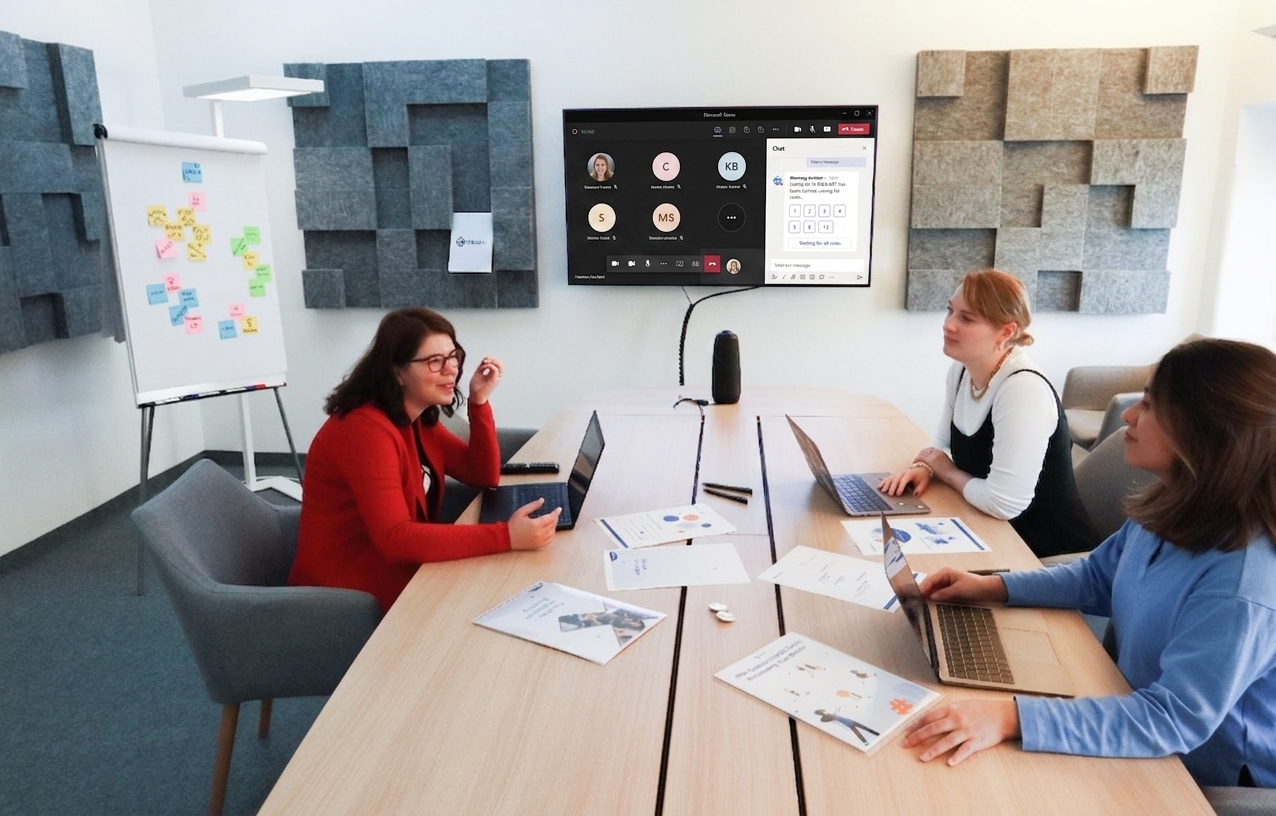
Start quickly
Open a vote from the chat where the story is already being discussed.
No separate planning board, no duplicate participant list, no detour into another product.
Upgrade with context
Billing, team linking, and usage stay mapped to the same workspace.
Admins can scale capacity without losing track of which team owns the subscription.
Why teams keep it
Made for modern planning meetings, not tool-switching.
Use it in backlog refinement, sprint planning, and quick follow-up estimations without breaking the meeting into two systems.
Core workflow
A simpler estimation loop for distributed product teams.
Each section focuses on one job the product does well: launch fast, keep the room aligned, and preserve the right workspace context when teams grow.
Start from the channel where the work already lives.
Kick off estimation from a familiar Teams conversation instead of dragging the room into a separate planning interface.
Choose open or hidden voting based on the ceremony.
Protect independent thinking when the room needs it, then reveal the spread quickly without slowing the discussion.
Keep team linking, quota visibility, and upgrades in sync.
When the team needs more seats or sessions, the right workspace context is already connected to the portal.
Built for real planning rituals
Everything your team needs for a smoother estimation cadence.
The product is designed around the moments that usually create friction: starting the session, keeping attention in the room, revealing at the right time, and resuming when meetings shift.
Quick launch from the channel
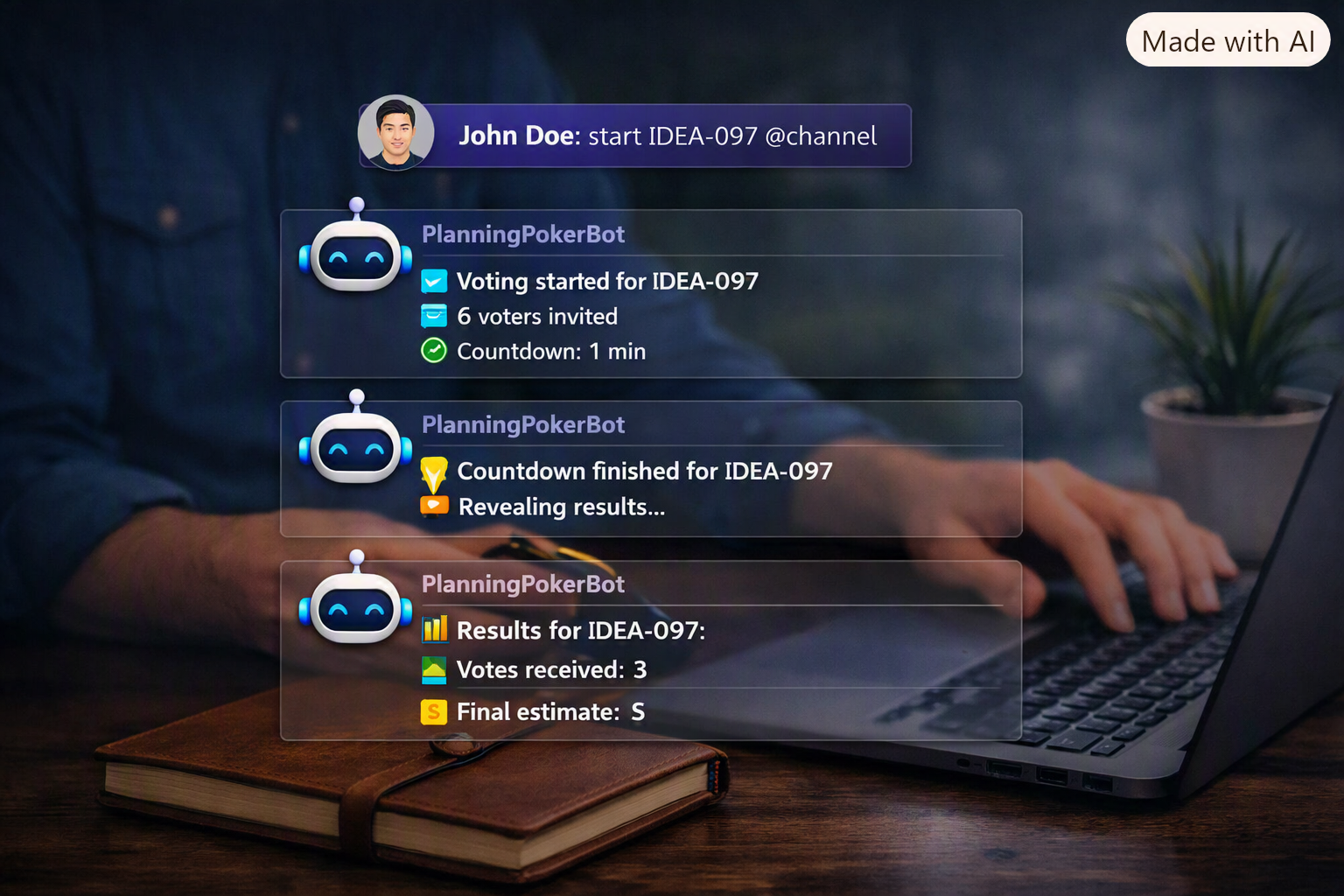
Start the vote from a simple command and bring the right teammates in right away.
Bias-aware reveal options
Pick hidden or public voting depending on whether the room needs speed or more independent judgment.
Resume without losing momentum
Redo, reveal later, or continue when planning changes direction mid-meeting.
Command-first workflow
Role-based value
Useful for every part of the delivery team.
The experience should feel obviously valuable whether someone is facilitating the ceremony, framing the story, or contributing an estimate.
Facilitation
Scrum Masters
Keep the ceremony structured while the bot handles repetitive coordination work.
- Countdown defaults reduce manual timeboxing.
- Auto-close keeps the room from drifting.
- Resume and redo controls help when the agenda shifts.
Backlog clarity
Product Owners
Turn discussion into clearer estimation outcomes without slowing the meeting down.
- Anchor the session to the story already being discussed.
- See when the room is ready to reveal and move on.
- Keep upgrade and quota visibility simple for workspace admins.
Low-friction participation
Developers
Join, vote, and get back to work without learning or opening another estimation product.
- No extra interface outside the Teams cards.
- Hidden voting supports more honest estimates in senior-heavy rooms.
- Works for remote, in-office, and mixed-device planning.
3Clear steps from install to reveal.
TeamsThe meeting stays where the conversation already happens.
1Portal for billing, team linking, and quota visibility.
HybridSupports the same flow across desk, room, and remote setups.
Hybrid-ready ceremonies

Remote-ready by default
Designed for distributed ceremonies that still need structure.
Whether everyone is in the same room or spread across devices, the flow stays understandable. Clear prompts, lightweight controls, and fast reveals help the team focus on the story instead of on the tooling.
Team-linked upgrades
Entitlements stay attached to the workspace that actually owns the planning capacity.
Reusable defaults
Choose voting mode, anonymity, and countdowns once, then reuse them across ceremonies.
Simple access control
One active vote per team reduces overlap and keeps meetings focused.
Remote-friendly collaboration

What teams value
Less friction, clearer reveals, and faster planning conversations.
"We stopped losing momentum between discussing a story and actually collecting estimates. The bot keeps the room moving."
"The quota and upgrade flow is simple enough that I can handle it quickly and get back to planning."
"Hidden voting plus quick reveals gave us more honest conversations, especially when seniors and juniors estimate together."
Ready to simplify estimations?
Bring planning poker into the Teams workflow your team already uses.
Install the bot, run the next session from chat, and keep upgrades tied to the right workspace when usage grows.